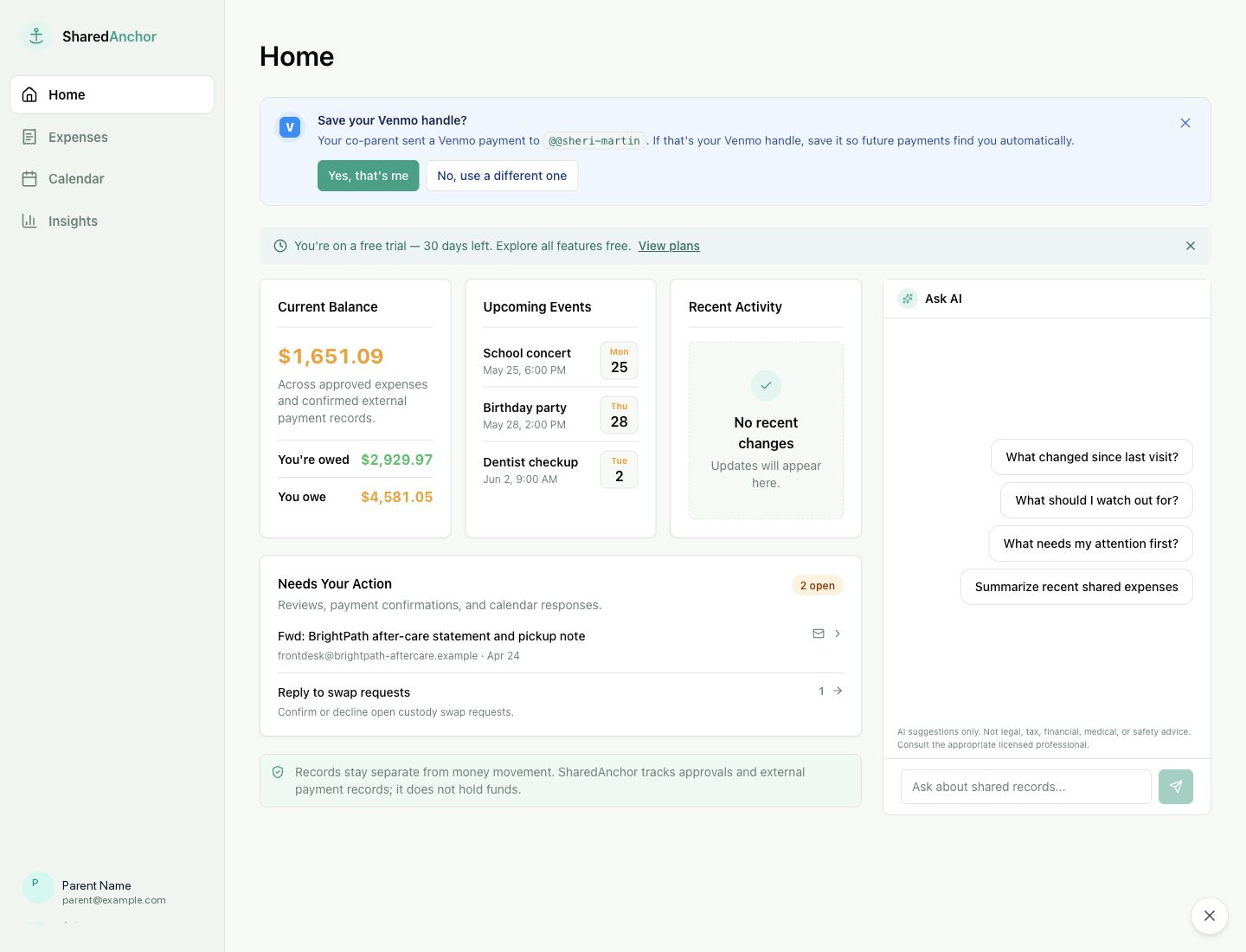
Everything about a shared expense and schedule lives in one place for both of you.
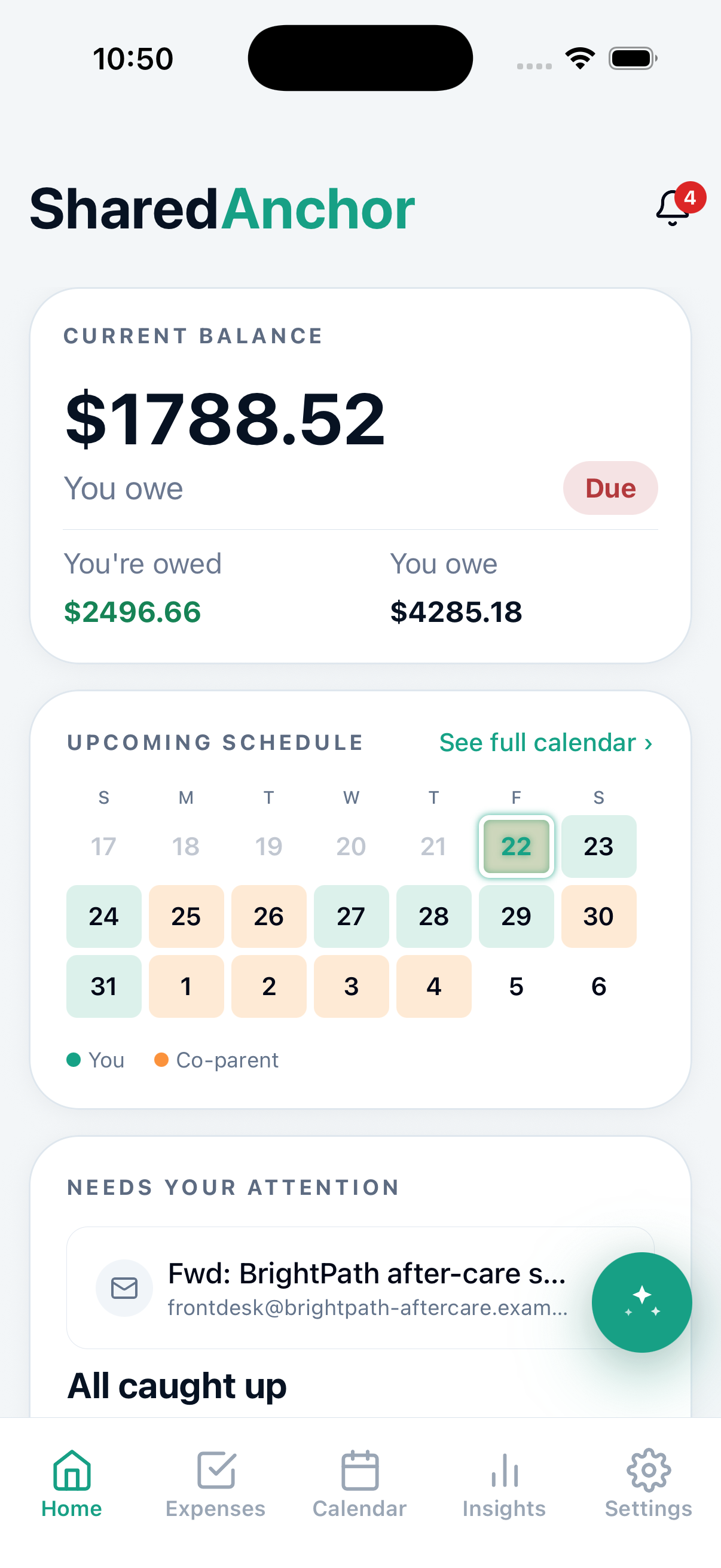
SharedAnchor keeps shared expenses, custody schedules, payments, and messages in one record. A private AI assistant handles the day-to-day questions, receipts turn into entries on their own, and any outside AI tool you connect only ever gets read-only access.
Ask the AI assistant about your own expenses and schedule instead of scrolling through the list, or forward a receipt and let it fill in the details. Give your own AI assistant, or your attorney's, read-only access to your records.
Custody calendar
Shared expenses
Messages
Private AI assistant
Set up your custody schedule once, then handle the exceptions without renegotiating it.
Pick a starting pattern - week-on/week-off, 2-2-5-5, or your own - and SharedAnchor lays out the calendar. Either of you can propose a swap and the other approves it, and your holiday and school-break rules apply straight to the calendar once you set them up.
Every shared cost goes through the same record. Log an expense, agree on the split, and pay however you already do - Venmo or another method you track outside the app. Nothing on your record is ever edited or deleted after the fact, so if a swap, a split, or a payment is ever in question, you both have the same history to point to.
Messages work the same way. Talk in a thread tied to the expense or swap you are discussing. Messages cannot be edited or deleted, so you both keep a clear record of who said what.
Append-only history
Ask about your expenses, schedule, and events in natural language.
A private AI assistant built into your SharedAnchor dashboard, powered by Claude from Anthropic.
Ask what you spent on medical expenses this month, get help setting up your custody schedule, or draft a swap request to your co-parent, all in plain language. It reads the same shared record you and your co-parent both have, but your conversation stays private: your co-parent never sees your questions, and you never see theirs. You review every suggestion before anything is saved or sent, though for legal, tax, or safety calls, loop in someone who's licensed for that.
What did we spend on medical this month?
$42 for a copay on Sept 3. Want me to log it, split 50/50?
Log $42 medical copay, split 50/50
Forward a receipt instead of typing it in by hand.
forward@sharedanchor.com turns your inbox into an intake line.
Forward a receipt or invoice email and SharedAnchor drafts the expense for you: amount, category, and date already filled in. Review it, fix anything that's off, and confirm to add it to your shared record. Looks like something you already filed? We'll flag it first, but filing a legitimate repeat charge is still one click away.
Forwarded: Target Order Confirmation
From receipts@target.com
“Thanks for your order! Your total was $42.17, charged to your card ending 4242.”
Target — order confirmation
Forwarded email
Review
Ask Claude or ChatGPT about your own SharedAnchor record
Connect it once, then ask questions right from Claude or ChatGPT, no need to open SharedAnchor.
Once connected, ask things like “What did we spend on medical this month?” or “Who has the kids next weekend?” without opening SharedAnchor. Setup takes about a minute, and access is read-only.
- 1In your AI assistant, add a custom connector and point it at SharedAnchor’s connector address.
- 2Sign in with your SharedAnchor account and approve the read-only consent screen.
- 3Ask away — disconnect anytime from your assistant’s settings, or from SharedAnchor Settings → Connected Apps.
https://api.sharedanchor.com/mcpThe connector sees the shared record you and your co-parent both see, including your children’s names and your co-parent’s display name. Your conversation with AI is private and SharedAnchor never sees or logs your conversation.
Give your attorney secure access to your records
Your attorney sees only what is relevant to your case, and cannot change anything.
If your case calls for it, invite your attorney to securely query your expense, payment, and custody records from Claude. No exporting, printing, or emailing files back and forth. Enter their email in Settings and SharedAnchor sends them a secure link to accept. From there, they download Claude Desktop and connect it with the read-only access code they get when they accept - not a login of their own, and you can revoke it anytime from Settings. Setup takes about five minutes, and our setup guide walks through it step by step.
One plan covers everything on this page.
One family subscription covers both of you. That means the assistant, the receipt inbox, and every outside connection you allow, all as part of one shared record.
Basic is $7/mo per pair. See full pricing